

Let's talk


UX for industry and plant engineering
We design operator concepts and HMI screens for control systems, SCADA/MES and machine software — and test them with the operators who work with them in shifts. For machine and plant builders, automation integrators and operators who need the operator to keep the overview during an upset, and who want new software to be genuinely used after the rollout.
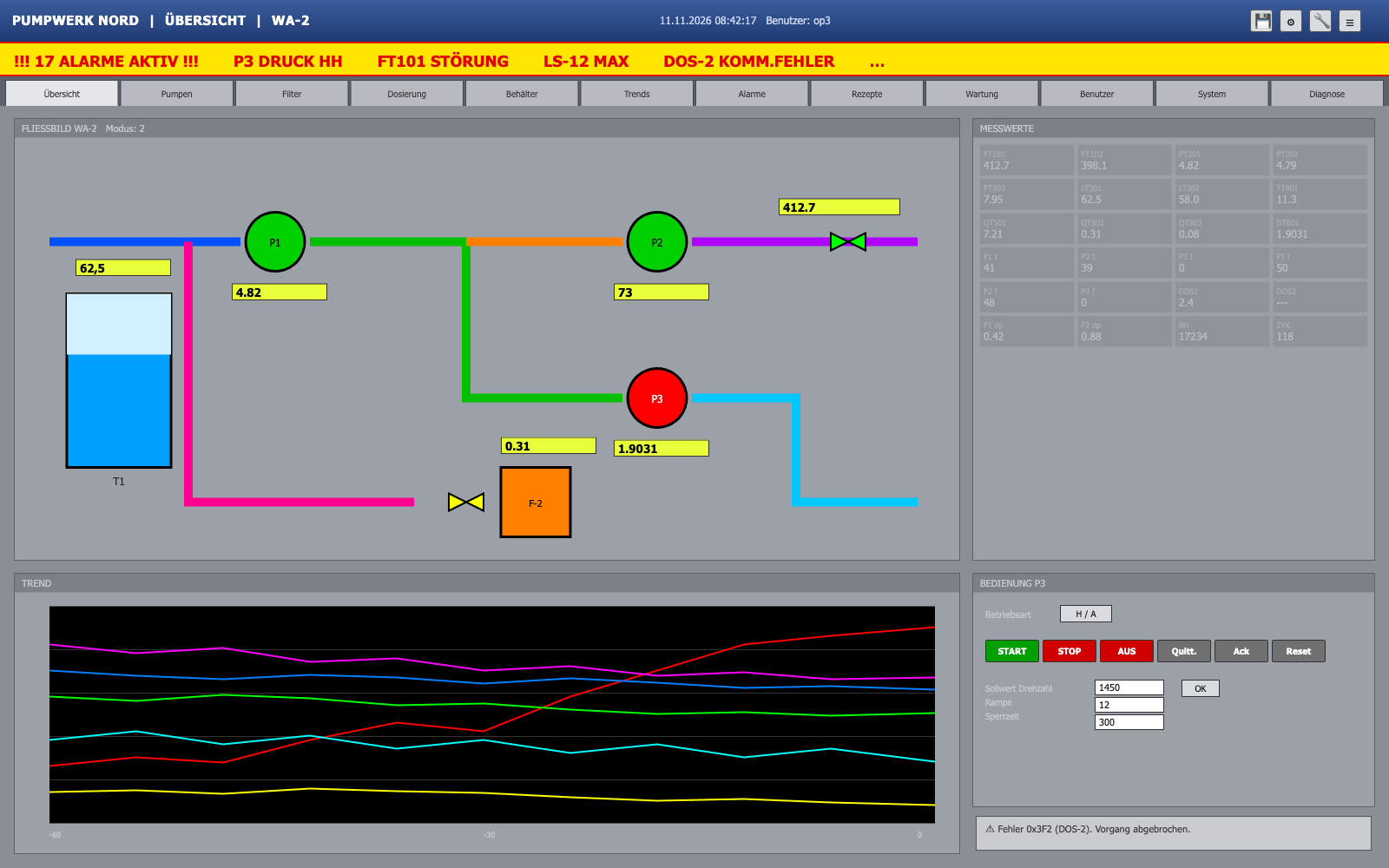
New: free HMI CheckUpload a screenshot, report in 2 working days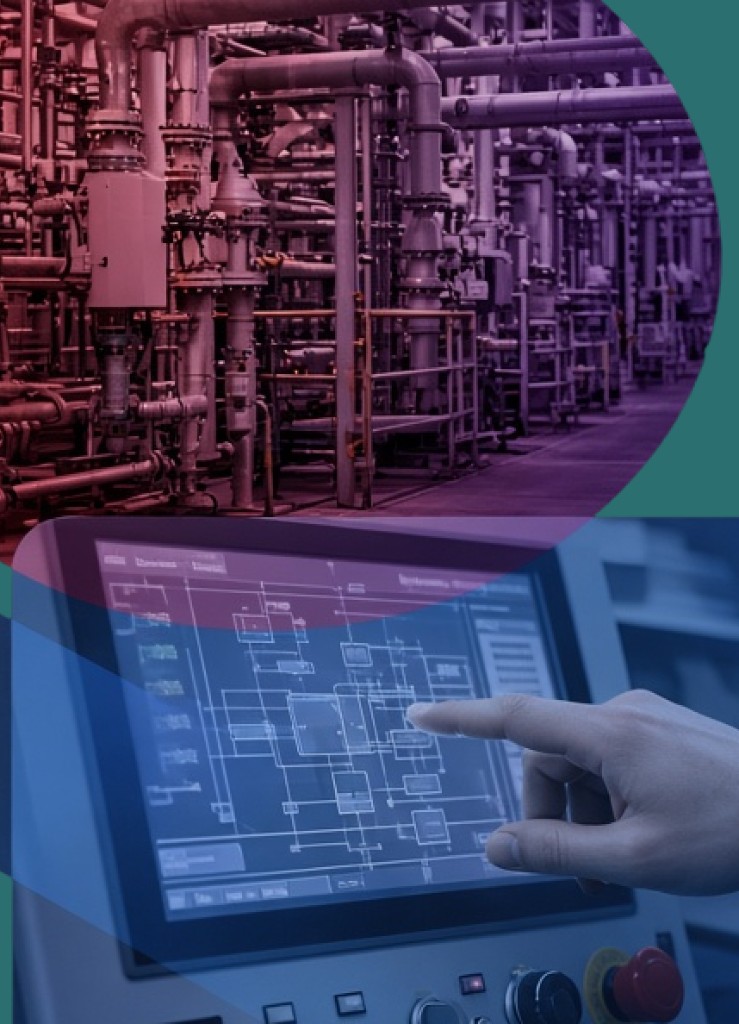
Beabstracto is a UX studio in Munich for industrial control and expert software: HMI and plant visualisation, control systems (PCS/DCS), SCADA, MES and operator software for machines such as industrial furnaces. We observe in the control room and at the operator station, analyse tasks and plant states, design the operator concept, operator displays and alarm presentation, test with real operators and hand over documented specifications to engineering teams who build in WinCC Unified, TIA Portal, Qt/QML or web technologies.
We align our work with ANSI/ISA-101.01, ANSI/ISA-18.2, EEMUA 191 and VDI/VDE 3699 — as references for good practice, not as certificates. The founder comes from industrial engineering in steam-turbine manufacturing at Siemens; most recently we modernised the legacy software of Ebner Industrieofenbau. On request we also support the rollout: key users, training, machine acceptance, deployment across sites.
Rarely in the controller. Usually in an operator interface that works in normal operation and does not hold up during an upset. These are the five situations we hear most often.
During a fault, dozens of messages arrive at once and the originating alarm cannot be told from consequential ones. The operator learns to acknowledge alarms away — and one day misses the one that matters.
The mimic is a full-colour copy of the P&ID with every value the same size. Whether the plant is running at setpoint or drifting is only visible to someone who carries the numbers in their head.
Is the machine stopped, waiting, or starting up? Is the recipe step finished or merely triggered? If the state display cannot answer that within a second, the operator reaches for the phone, a sticky note or a second screen.
The shift works because two colleagues know every quirk of the plant. Onboarding takes months and consists of spoken rules: “Ignore the value at the bottom, it is never current.” Each of those rules marks a spot where the interface does not create trust by itself.
The MES or line-control software is live and machine acceptance has been signed — and six months later shift handover runs on Excel and shouting again. Training alone does not fix this when the software does not reflect how shop-floor workers actually work, or when key users were never involved.
Only numbers with a source — from our own project records or from the standards themselves.
Four services, individually or as a package — always starting with observation at the operator station and ending with documented specifications for engineering.
We develop the operator concept from the operators' tasks, not from the signal list: which decision is due when, and which plant state has to be visible for it? From that we derive the display hierarchy, operator displays following high-performance HMI principles, an alarm concept with priorities and acknowledgement logic, and an HMI style guide. We work in Figma and hand over so that WinCC, TIA Portal or Qt teams can build without re-translation.
An operator display is not judged in a meeting but in the situation it was built for. We test prototypes or existing HMI screens with operators from the shift — at the operator station, on a simulator or remotely — and measure how quickly state and cause are recognised and the right action is taken. The result is a prioritised list of concrete changes.
For Ebner Industrieofenbau we restructured a legacy application for expert users: first product and information architecture, then user flows for the operational workflows, then high-fidelity concepts and the direction for a design system. The approach fits any machine or plant software that has grown over years and where a rebuild would be neither affordable nor acceptable to existing customers.
Software is implemented when the shift works with it — not when the acceptance protocol is signed. We support implementation projects on the vendor or operator side: as-is analysis of plant workflows, key-user concept, training material built from real work tasks, preparation of machine acceptance and UAT, rollout across sites and hypercare.
We speak the language of the control room, of engineering and of the tender.
Observe before we draw. Test before engineering builds. Hand over without anything getting lost. The durations apply to a typical operator concept for one plant or machine family.
We sit in on the shift — day, night, start-up, fault —, listen to what experienced operators explain to newcomers, and document workarounds: sticky notes, phone calls, second screens. The result is a map of the spots where today's interface does not hold up.
With operators, shift leaders, maintenance and automation engineers we clarify per role: which decisions are due when, which plant state must be visible for them, which alarms genuinely require an action? This yields a state model, a role matrix and a first alarm rationalisation.
Display hierarchy, navigation, operator displays and alarm presentation as a clickable Figma prototype, informed by ISA-101, VDI/VDE 3699 and high-performance HMI principles. In parallel we write the HMI style guide so that colour, state and symbology are not decided anew on every screen.
We test the prototype with 5–8 operators in realistic scenarios, including at least one upset and one shift handover. We measure whether state and cause are recognised faster and whether operating errors decrease.
Documented specifications for the team building in WinCC Unified, TIA Portal, Qt/QML or web technologies: components, states, alarm classes, layout grid, rules for new displays. We review interim builds so that nothing is lost in translation.
On request we support training, key users, machine acceptance and the rollout to further lines or sites. Feedback from the first weeks is collected, prioritised and handed to product and engineering.
Five lessons from industrial engineering, control-system and machine-software projects — without client data.
Many HMI projects start with the question of how to fit every signal on the screen. The better question is which decision the operator has to make in which situation. Thinking from the signal yields a complete display that highlights nothing; thinking from the task yields a hierarchy.
The most valuable source in a control room is the induction: “Watch out here”, “ignore that value”, “with more than three alarms, look at the trend display”. Every sentence marks a spot where the interface does not create trust by itself. Fix those spots first and you win the operators; modernise only the looks and you lose them.
Bainbridge described it in 1983: the more is automated, the less often the human intervenes — and the harder and more important that intervention becomes. Normal operation may be quiet, but the transition into an upset must orient the operator immediately. Our tests therefore always include the scenario in which the automation is not helping.
In steam-turbine manufacturing we worked with industrial engineers for months, created manufacturing routings in SAP ourselves and only then named the core problems: paper parts lists, highlighters, copy-paste from old projects. A searchable interface, a template library and Excel-to-SAP automation cut time on task by 80 to 90 percent.
In the legacy software of Ebner Industrieofenbau the decisive step was not the new design but the product and information architecture: which modules, which objects, which terms? Only then followed user flows, high-fidelity concepts and the design-system direction — and existing customers still recognised their software.
Stations that shape our work in industry.
Ebner Industrieofenbau
UX/Product Design Lead (2024–2025): product architecture, information architecture, user flows, high-fidelity concepts and design-system direction for software grown over many years — without losing the depth of the domain.
→Siemens · steam-turbine manufacturing
A real case from industrial engineering: observation on the shop floor, automation of recurring SAP workflows, a searchable interface instead of paper parts lists, a template library instead of copy-paste. Result: 80 to 90 percent less time on task.
→Siemens · engineering and automation (2016–2021)
Five years in an industrial engineering context in Brazil: application engineer for steam-turbine generators, Python tools for the team, automation of SAP processes. This is where the conviction formed that a tool only counts if it holds up in the plant's daily routine.
→Send us a screenshot. We review it against Nielsen, WCAG 2.2, ISO 9241-110 and ISA-101 and send you a report with findings and fixes within 2 working days. Free of charge.
We align our work with these standards, guidelines and works — as references for good practice; we claim no certification or conformity.
International Society of Automation (ISA) · 2015
Describes the HMI lifecycle — philosophy, style guide, design, implementation, operation — rather than specific colours; the order in which we build operator concept and handover.
International Society of Automation (ISA); internationally as IEC 62682:2022 (Ed. 2.0) · 2016 / 2022
Alarm lifecycle with philosophy, rationalisation, design and performance monitoring — the basis of our alarm concepts.
Engineering Equipment and Materials Users Association (EEMUA) · November 2024
Practical guide to alarm rates, prioritisation and alarm floods; Edition 4 aligns terminology with ISA-18.2 and IEC 62682.
VDI/VDE Society for Measurement and Automatic Control (GMA) · 2014–2015
The German-language guideline for operator displays: terminology, principles, mimics, curves, alarms and messages, interaction procedures.
NAMUR — User Association of Automation Technology in Process Industries · 2008
Recommendation of the German process industry and one of the foundations of ISA-18.2 and IEC 62682.
Mica R. Endsley, Human Factors 37(1), 32–64 · 1995
Three levels — perception, comprehension, projection. We check every operator display against whether it makes deviation and development visible.
Lisanne Bainbridge, Automatica 19(6), 775–779 · 1983
The higher the degree of automation, the rarer and harder the human intervention — which is why we test the transition into an upset.
Bill Hollifield, Dana Oliver, Ian Nimmo, Eddie Habibi — PAS / User Centered Design Services · 2008
Grey backgrounds, colour only for deviations, analogue target ranges, clear display hierarchy: the practical formulation of the ISA-101 philosophy.
Five clearly scoped services for professional systems where mistakes are expensive. Each comes with a fixed team that takes responsibility for the outcome.
A well-rehearsed UX team in three sizes, S, M and L, working inside your professional system from day one. Research, UI and design-to-code from one source, with guaranteed cover.
UX designers and coaches accompany the rollout of a new professional system on the client side: process mapping, configuration from the user's perspective, training and acceptance in the business unit. So the system is actually used at go-live.
Training for product, engineering and business teams that want to carry UX in complex systems themselves. Methods from real projects, transferred to your domain.
A first conversation without sales theatre: you show us today's interface or describe the implementation project, and we tell you honestly where UX brings the most — and where it does not.